


Kidduca 3D:Kids Learning Games
4.610.00 Reviews
App Specs
- Version
- 1.7.28
- Updated On
- License
- Free
- Downloads
- 50,000+
- Developer
- Play & Learn: Online Educational Apps for Kids 2–7
- Categories
- Educational
- Platform
- Android
Screenshots
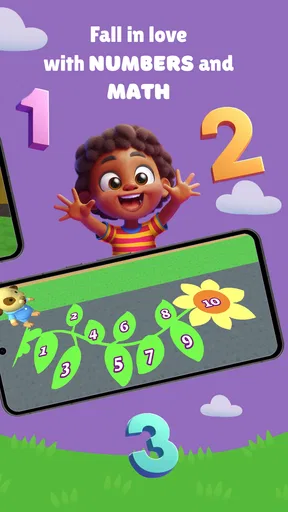
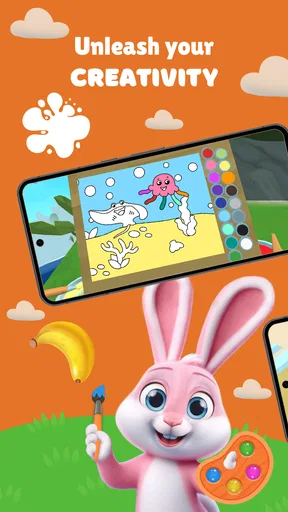
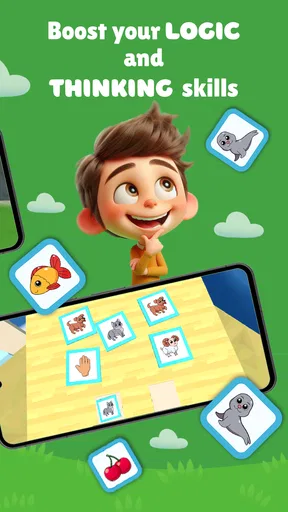
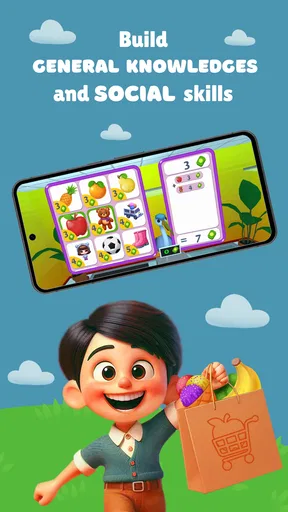
 Analysis by AppCompare
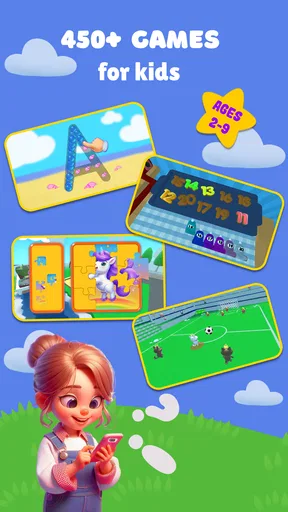
I spent time with Kidduca 3D as a children’s educational game, and my first impression is that it tries to solve a familiar family problem: how to make early learning feel more like play than a worksheet. Its focus is broad, covering early math, the alphabet, colors, languages, and a car-racing activity. That combination makes it easy to understand why a parent might test it during a quiet afternoon, a short trip, or a transition between ordinary play and a learning routine.
The important point is that this is not presented as a serious school replacement. I see it as a playful introduction for young children, especially those who respond better to movement, bright presentation, and quick activities than to sitting through a formal lesson. The game is aimed at Everyone, and the developer is Play & Learn: Online Educational Apps for Kids 2–7, which clearly places it in the early-childhood space.
How Kidduca 3D turns early learning into play
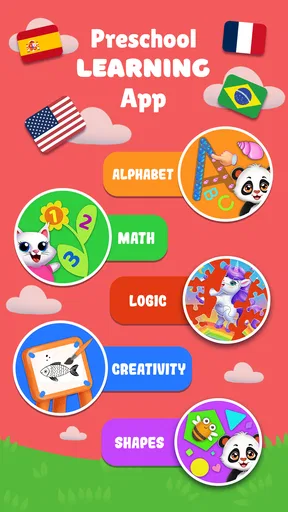
The app’s appeal comes from putting several beginner topics in one place. A child can move between number practice, ABC learning, color recognition, language exposure, and car racing instead of being locked into one narrow subject. In my experience, that variety matters because a young child’s attention can change quickly. A child who loses interest in letters may still be willing to try a short racing activity and return to learning later.
I would describe the overall concept as a learning game for preschool and early-primary children, rather than a structured curriculum. That distinction helps set realistic expectations. Parents looking for a gentle first contact with educational subjects may find the mix useful. Parents who need a carefully sequenced mathematics program, detailed progress reports, or formal reading instruction should look elsewhere or use this alongside a more focused resource.
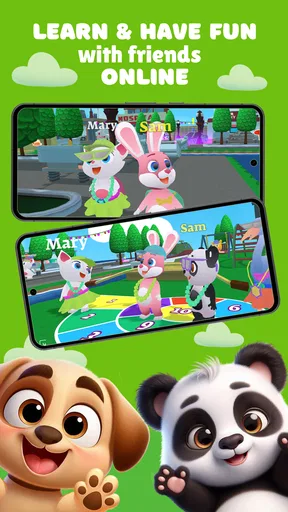
The game’s name, Kidduca 3D, also signals its visual identity. The three-dimensional presentation is likely to feel more like a game world than a digital flashcard set, which can help children who are motivated by playful environments. At the same time, visual appeal alone does not guarantee learning. I paid more attention to whether the activities could support a repeatable routine, and that is where the app makes the most sense: short, supervised sessions with a clear goal.
The free starting point and the purchase decision
Kidduca 3D is free to install, so a family can try its basic experience without committing money at the outset. That is a meaningful advantage for parents who do not yet know whether a child will enjoy the style, understand the activities, or stay engaged beyond the first session. I would use the free access as a trial period rather than assuming that every part of the experience is included.
The app includes in-app purchases ranging from $6.99 to $55.99 per item. Those prices make the purchase decision more important than the word “free” might suggest. The sensible approach is to let the child explore the no-cost portion first, then decide whether the additional value justifies spending. I would not buy anything simply because the child asks after seeing a locked option; I would first check whether the paid content supports a subject the child actually needs and will revisit.
Worth Reading Before You Choose

EA SPORTS FC Mobile 26 Is a Bigger Football Game, but It Takes Time

Flipboard Shows What News Apps Must Do Beyond the Feed

Switching to Android Auto Means Rethinking Your Driving Routine

Google Calendar Makes a Crowded Week Easier to Manage

Ludo King Makes the Most of the Minutes Between Plans

Baby Panda World Brings Quick Play to Modern Phones, but Its Game Library Feels Busy
That also means the value depends on usage. If a child plays once and moves on, even a modest purchase may not feel worthwhile. If the app becomes part of a regular, calm learning routine, paid content can be easier to justify. I would treat the free version as a way to evaluate fit, and the paid items as optional expansion rather than a requirement for every family.
There is no reason to confuse the highest listed purchase amount with an automatic recommendation. A larger purchase only makes sense if it offers enough useful material for the particular child, and if the adults are comfortable with the spending. The most responsible workflow is simple: test the free experience, identify one learning area that holds attention, and consider a purchase only when it adds clear repeat value.
What a child can gain from the mixed subject approach
The strongest educational idea here is the combination of repetition and variety. Early learners often need to see the same concept many times, but they do not always tolerate repeating an identical exercise. Moving between colors, letters, numbers, languages, and a racing activity can give parents more ways to keep a session from becoming frustrating.
I can imagine using the math area for a brief warm-up, switching to ABC practice when the child becomes restless, and ending with the car activity as a playful reward. That is not a formal teaching method, but it creates a useful rhythm: focused attention, a change of pace, and a positive ending. The key is not to leave the child tapping randomly through every section. I would choose one small target before opening the game.
For example, an adult might say, “Let’s spend a few minutes with colors, then you can try the cars.” That gives the activity a beginning and an end. It also turns the game into a shared routine instead of passive screen time. The app may be most effective when a parent asks simple follow-up questions away from the screen: “Which color did you see?” “Can you find something similar in the room?” or “What sound does that letter make?”
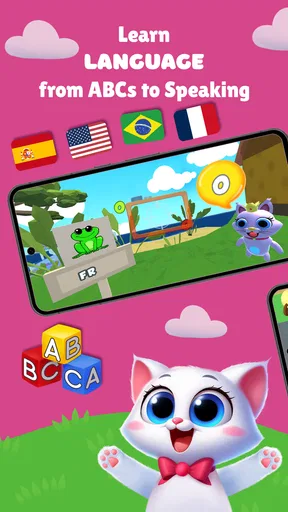
The language element could be especially useful for families introducing a child to more than one language, but I would keep expectations modest. Exposure through a game is not the same as a complete language course. It can encourage recognition and curiosity, while real progress still depends on conversation, stories, songs, and regular interaction with people.
A realistic everyday session
One practical scenario is the late-afternoon period when a child is tired but still needs a constructive activity. I would sit nearby, choose one topic rather than handing over the device without direction, and keep the session short enough that the child finishes while still interested. If the child starts guessing, tapping without looking, or becoming upset, I would stop rather than push through.
Another useful moment is travel. Because the app combines learning topics with a racing game, it may offer more flexibility than a single-purpose alphabet tool during a waiting period. Still, I would not rely on it as an automatic babysitter. A young child may need help understanding the goal, and the educational benefit is stronger when an adult notices what the child is doing and talks about it afterward.
For siblings of different ages, the mixed subject design can be convenient, but it may not serve everyone equally well. A younger child may enjoy colors and simple recognition, while an older child may need more challenging math or reading tasks. I would expect the app to work best when the child’s developmental level is close to its intended early-learning range, rather than expecting one installation to satisfy an entire family.
Where the game is less convincing
The broad subject list is also the main trade-off. Covering math, ABC, colors, languages, and racing gives the app variety, but it can make the experience feel less focused than a dedicated educational app. If your priority is mastering one specific skill, a specialist tool may provide a clearer progression and fewer distractions.
The racing activity is another example of that balance. It can make the app more inviting and give children a change of pace, but it is not automatically educational simply because it appears inside a learning product. I would use it as a transition or reward, not as evidence that the child is practicing academic skills during every minute of play.
Parents should also be prepared to supervise the purchase boundary. Free access lowers the risk of trying the game, while the available in-app purchases introduce a spending decision that belongs with the adult. I would explore the app myself before letting a child use it independently, especially if the device is shared or payment controls are not already familiar to the family.
The app’s age positioning deserves attention too. “Everyone” is reassuring as a broad content rating, but it does not tell a parent whether every activity is equally suitable for every child. A toddler, a preschooler, and an early reader can have very different needs. I would judge the fit by the child’s ability to follow instructions, recognize the learning goal, and stay comfortable with the pace.
Performance, availability, and basic details
Kidduca 3D was released on October 15, 2023, and the current version is 1.7.28. It requires Android 8.0 or later, so families using older Android hardware should check compatibility before planning around it. That requirement is not especially demanding for many modern devices, but older phones and tablets can still be a concern in households that keep devices for several years.
The game has passed 50K installs and holds a 4.6 average from 53 ratings, with 10 written reviews. Those figures suggest that it has attracted a real audience and that the overall reception has been positive, but I would still treat the rating as one signal rather than a substitute for testing it with your own child. A high average cannot predict whether a particular child will prefer letters, numbers, languages, or the racing portion.
Because it is free to install, the easiest compatibility test is also the most practical one: install it on the intended device, try the activities with the child present, and watch how much adult help is needed. If the child cannot understand the interaction without constant correction, the game may be better as a shared activity than as independent play.
How it compares with ordinary alternatives
Compared with paper worksheets, Kidduca 3D is more interactive and may be easier to use when a child refuses a traditional exercise. The trade-off is that a worksheet can be more targeted. An adult can choose exactly ten letter exercises or create a custom color activity without navigating a game environment. For children who enjoy hands-on learning, physical blocks, picture books, and counting objects may also produce richer conversation than a screen.
Compared with a dedicated ABC or math app, this game offers broader variety but potentially less depth in each subject. I would choose a specialist app when the child has a clear need, such as practicing a particular number skill or building a more consistent letter routine. I would choose Kidduca 3D when motivation and variety are the bigger problems, especially when a child needs frequent changes to stay involved.
Compared with unrestricted video, the educational topics give the session a clearer purpose. The child is not simply watching a passive stream. However, interactive does not mean automatically better in every situation. A parent-led story, a conversation, or a real-world counting game may be more valuable when the child is ready for social interaction rather than another digital activity.
That is why I would not frame this game as a replacement for books, toys, or adult teaching. Its best role is as one tool in a small rotation. Use it when its playful format solves a specific problem, then switch to an offline activity when the child needs movement, conversation, or a break from the screen.
Who is most likely to get value from it?
I think the best match is a young child who enjoys colorful game-like activities and needs gentle exposure to early concepts. It may also suit parents who want several beginner subjects in one place instead of installing separate apps for colors, letters, numbers, and languages. The free entry point makes it practical for families who want to evaluate the experience before spending.
It can be particularly useful for a parent who is willing to participate. A few minutes of guided play can turn a simple activity into a conversation about counting, sounds, or objects in the child’s surroundings. That adult involvement is not a weakness; it is how the game becomes more than tapping through screens.
I would skip it, or at least avoid making it the main learning tool, if your child needs advanced challenge, a strict lesson sequence, detailed academic tracking, or a fully offline experience. I would also look elsewhere if the child becomes overstimulated by game-style presentation or only wants the racing activity. In those cases, a quieter book, manipulatives, or a focused subject app could be a better choice.
My recommendation after weighing the cost and trade-offs
My verdict is positive but measured. Kidduca 3D is worth trying because it is free to install, covers several early-learning themes, and adds a playful racing element that may help maintain a child’s interest. The 4.6 average and more than 50K installs provide encouraging context, but the real test is whether your child returns to the learning activities rather than only the game-like parts.
I would start without buying anything, use the app in short supervised sessions, and note which subject genuinely holds attention. If the free experience becomes a useful part of your family routine, an optional purchase may offer reasonable value; if the child loses interest quickly, there is little reason to spend simply because extra items are available. That approach respects the difference between free access and paid value.
For me, the app succeeds as a flexible early-learning companion, not as a complete educational program. Its strongest use is a small, guided activity between real-world play, books, and conversation. Try it for fit first, buy only for repeat value, and choose a more focused alternative when a specific skill needs deeper practice.
Pros
- Bright 3D visuals make lessons engaging for young children.
- Covers several early-learning topics in one app.
- Simple controls are suitable for preschool users.
- Interactive activities can support independent learning.
- Playful rewards may help maintain children’s attention.
Cons
- Some activities may feel repetitive after extended play.
- 3D graphics could be demanding on older or budget devices.
- Younger children may still need adult guidance to begin.
- Learning depth may be limited for advanced preschoolers.
- In-app purchases or ads may require parental supervision.
FAQs for Kidduca 3D:Kids Learning Games
What is Kidduca 3D: Kids Learning Games?
Kidduca 3D: Kids Learning Games is an educational app designed to make early learning more engaging through colorful three-dimensional activities. It generally focuses on foundational skills such as letters, numbers, shapes, colors, memory, and simple problem-solving. The playful presentation can help children learn at their own pace, while parents can use the app as a supplementary activity rather than a replacement for guided learning or classroom education.
What age group is Kidduca 3D suitable for?
The app appears to be aimed primarily at preschool and early elementary-age children, although the ideal age depends on each child’s reading ability, attention span, and familiarity with touchscreen controls. Younger children may need an adult to explain instructions or select activities, while older children may use the easier lessons for revision. Parents should review the available content and difficulty level before allowing independent play.
Does Kidduca 3D require an internet connection?
Some parts of Kidduca 3D may work offline after the application and its required content have been installed, but this can depend on the device version and how the developer delivers updates, advertisements, or additional activities. An internet connection may also be needed for downloading new content or restoring purchases. It is best to open the app once while connected before using it during travel or away from Wi-Fi.
Is Kidduca 3D safe and appropriate for children?
Kidduca 3D is presented as a child-friendly learning experience, but parents should still check the app’s current privacy policy, permissions, advertising settings, and in-app purchase options before handing over the device. Younger users may accidentally tap buttons or make purchases if parental controls are not enabled. Supervision is especially recommended during the first sessions so adults can confirm that the content suits the child.
Is Kidduca 3D free to download, and are there in-app purchases?
The app’s download model, advertising, and available learning content can vary between Android and iOS and may also change with updates. Some activities may be accessible for free, while extra lessons, features, or an ad-free experience could require payment. Before downloading, parents should check the official store listing for the latest pricing details and review purchase restrictions on the child’s device or family account.


